
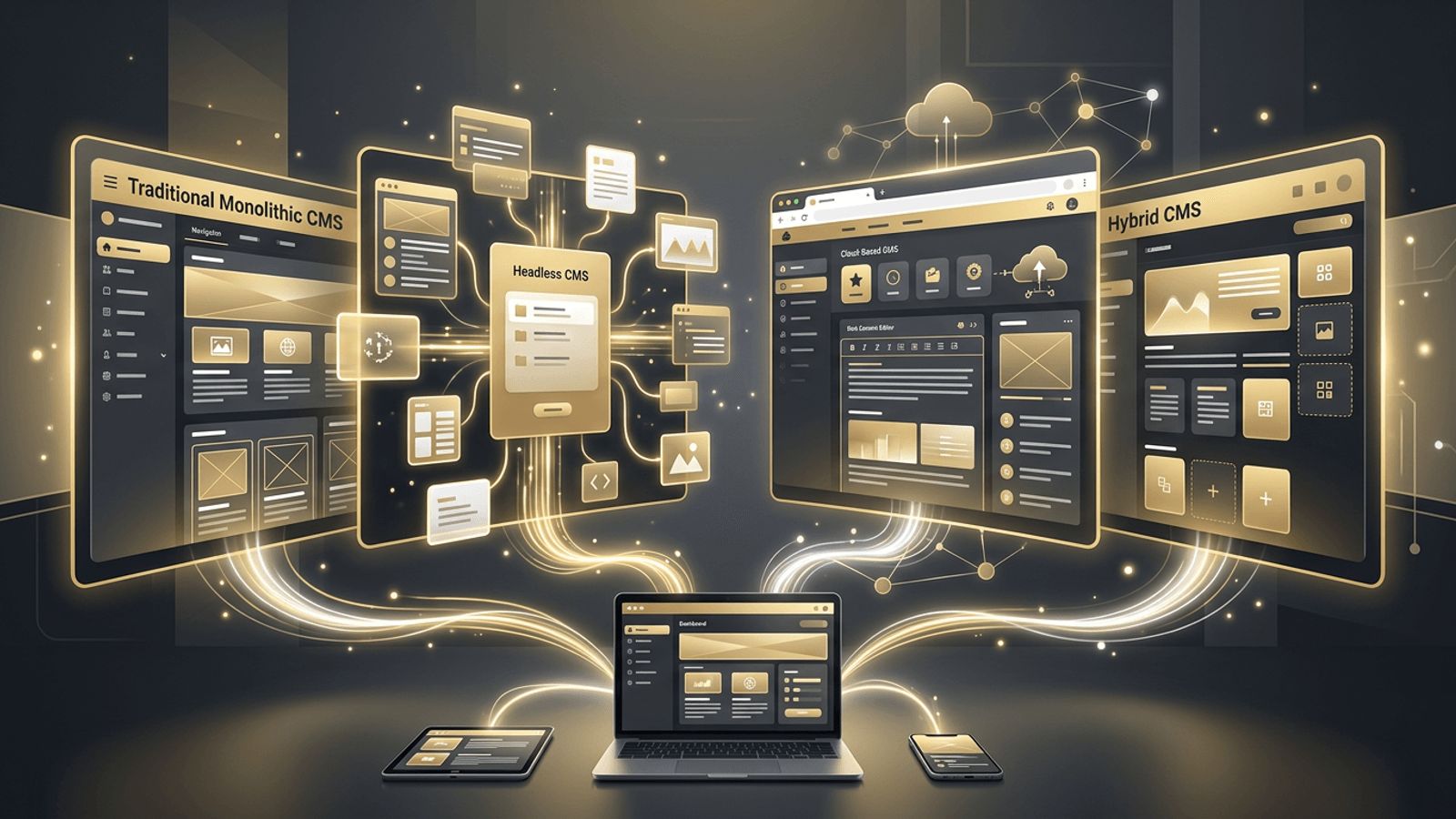
A content management system (CMS) is software that lets people create, edit, organize, and publish website content without writing code for every change. CMS platforms power a large share of the websites on the internet, from personal blogs to global enterprise portals. However, not all CMS platforms work the same way. Different architectures suit different needs, budgets, and technical capabilities. In this article, we explain the main types of CMS in web development, highlight popular examples, and help you decide which type is right for your project.
Find Your Ideal CMS with AAMAX.CO
Choosing a CMS is a long-term decision that affects performance, scalability, security, and how easily your team can manage content. AAMAX.CO is a full-service digital marketing company offering web development, digital marketing, and SEO services worldwide. They have experience with traditional, headless, and hosted CMS platforms, and they help clients select and implement the system that best matches their goals. Their team builds intuitive editing experiences, fast front ends, and SEO-friendly structures. Businesses seeking expert website design paired with the right CMS can rely on them for a smooth, future-proof solution.
What Is a CMS?
A CMS typically has two main parts: a content management application, which is the admin interface where users create and edit content, and a content delivery application, which displays that content to website visitors. How these two parts are connected defines the type of CMS.
1. Traditional (Coupled) CMS
A traditional CMS combines the back-end content management and front-end presentation in a single system. Content is stored in a database and rendered using themes or templates.
Examples: WordPress, Drupal, Joomla.
Pros: Easy to set up, large plugin ecosystems, user-friendly editing, and a wide pool of developers.
Cons: Can become slow with many plugins, less flexible for multi-channel delivery, and requires ongoing security updates.
Best for: Blogs, small to medium business websites, and content-focused sites.
2. Headless CMS
A headless CMS separates content management from presentation entirely. Content is stored and managed in the CMS and delivered through APIs to any front end, such as a website built with Next.js, a mobile app, or a smart device.
Examples: Contentful, Sanity, Strapi, Storyblok, Hygraph.
Pros: Complete front-end flexibility, excellent performance, omnichannel content delivery, and improved security due to separation.
Cons: Requires developers to build the front end, editors may lose visual previews without extra setup, and initial costs can be higher.
Best for: Modern web applications, multi-platform brands, and performance-focused projects.
3. Decoupled CMS
A decoupled CMS is a hybrid approach. It separates the back end and front end like a headless CMS but still offers an optional built-in presentation layer. Teams can use traditional templates for some pages and APIs for others.
Examples: Drupal and WordPress used with their REST or GraphQL APIs, Magnolia.
Pros: Flexibility with a familiar editing experience and a gradual path to headless architecture.
Cons: More complex architecture and potentially higher maintenance.
Best for: Organizations transitioning from traditional to headless setups.
4. SaaS (Cloud-Hosted) CMS
A SaaS CMS is fully hosted and maintained by the provider. Users pay a subscription and access the platform through a browser, with hosting, security, and updates handled automatically.
Examples: Wix, Squarespace, Webflow, Shopify for e-commerce.
Pros: Quick setup, minimal maintenance, built-in hosting, and visual design tools.
Cons: Limited customization, potential vendor lock-in, and recurring subscription costs.
Best for: Small businesses, startups, portfolios, and teams without dedicated developers.
5. Open-Source CMS
Open-source CMS platforms are free to download, modify, and self-host. Their source code is publicly available and supported by global communities.
Examples: WordPress, Drupal, Joomla, Strapi, Ghost.
Pros: No licensing fees, full control over code and data, and large communities.
Cons: Hosting, security, and maintenance are your responsibility.
6. Proprietary and Enterprise CMS
Enterprise CMS platforms are commercial products designed for large organizations with complex needs, including workflows, permissions, personalization, and multilingual content.
Examples: Adobe Experience Manager, Sitecore, Optimizely.
Pros: Advanced features, dedicated vendor support, and strong security and compliance.
Cons: High licensing costs and complexity requiring specialized expertise.
Best for: Large enterprises and global brands.
7. E-Commerce CMS
E-commerce CMS platforms combine content management with product catalogs, carts, payments, and order management.
Examples: Shopify, WooCommerce, Magento (Adobe Commerce), BigCommerce.
Best for: Online stores of all sizes.
8. Static Site Generators and Git-Based CMS
Static site generators build websites into pre-rendered HTML files, often paired with Git-based CMS tools that store content as files in a repository.
Examples: Astro, Hugo, Eleventy, paired with Decap CMS or TinaCMS.
Pros: Exceptional speed, security, and low hosting costs.
Cons: Less suited to frequently changing or highly dynamic content.
How to Choose the Right CMS
- Content needs: How much content will you publish, and how often?
- Channels: Will content appear only on a website or also on apps and other devices?
- Technical resources: Do you have developers to build and maintain a custom front end?
- Budget: Consider licensing, hosting, development, and maintenance costs.
- Scalability: Will the CMS support future growth?
- SEO and performance: Ensure the CMS supports clean URLs, metadata, and fast load times.
- Editor experience: Your content team must find it easy to use.
Conclusion
Understanding the types of CMS in web development helps businesses make smarter technology decisions. Traditional CMS platforms offer simplicity, headless systems deliver flexibility and speed, SaaS platforms minimize maintenance, and enterprise solutions provide advanced capabilities for large organizations. By aligning your CMS choice with your content strategy, resources, and growth plans, you can build a website that is easy to manage and ready for the future.
Want to publish a guest post on aamconsultants.org?
Place an order for a guest post or link insertion today.